Outreach Without Spam: How DealInSec Drafts, You Approve, You Send
On this page (8 sections)
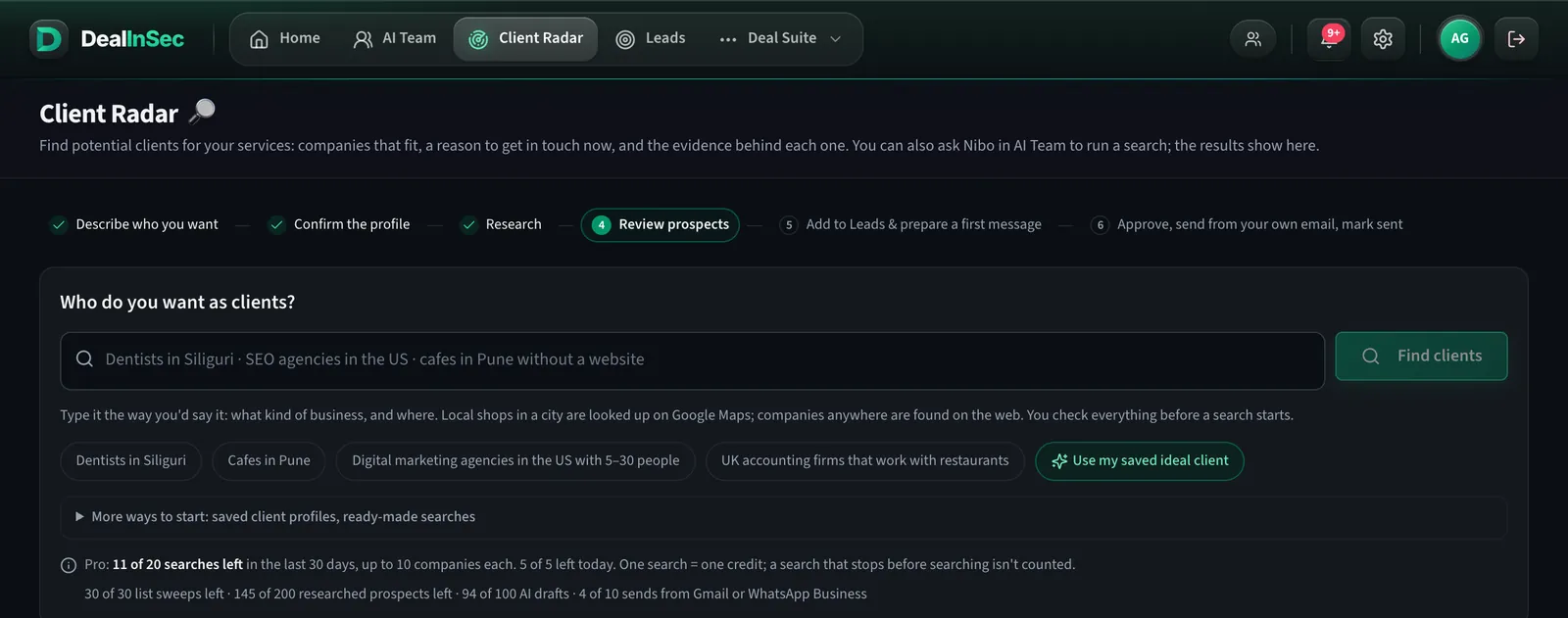
Cold outreach has a bad name because most of it is a template sprayed at a list by a tool. DealInSec is built the other way round: the research comes first, the draft is written from it, you approve the exact words, and the message leaves from your own account. This guide walks that flow.
Quick answer: open a qualified lead, press Write outreach, pick the channel, read the draft beside its evidence, edit it, approve it, then send it from your own email or messaging app and press "I sent it". A follow-up reminder is created. Nothing is sent by DealInSec on its own, ever.
Six channels, one record

Each lead's outreach page has a tab per channel. A WhatsApp draft is short and plain; a LinkedIn note fits the connection-request limit; an email has a subject line. Whichever you use, it is recorded on the same lead, so the timeline stays in one place.
What goes into a draft
Mika, the helper who writes, is given three things: the facts verified about the company (from its own website, with dates and sources), the ideal-client profile you saved in Settings (which is the only place a draft is allowed to describe you from), and your do-not-contact list. The draft names one true, recent thing about them, connects it to a problem you fix, and asks a small question. It does not attach a portfolio, open with your life story or ask for a call in the first line.
If the evidence is thin, the draft panel tells you before you spend a draft: no email found, nothing verified yet, or the allowance for AI drafts used up. You can always write your own message instead, which never counts against the allowance.
Approve means approve
A draft is a draft until you press Approve. Editing an approved message moves it back to draft, and you approve it again. The whole point is that the words that leave are the words you read. The "Improve" button rewrites in place and does not count as a new draft.
Sending from your own account
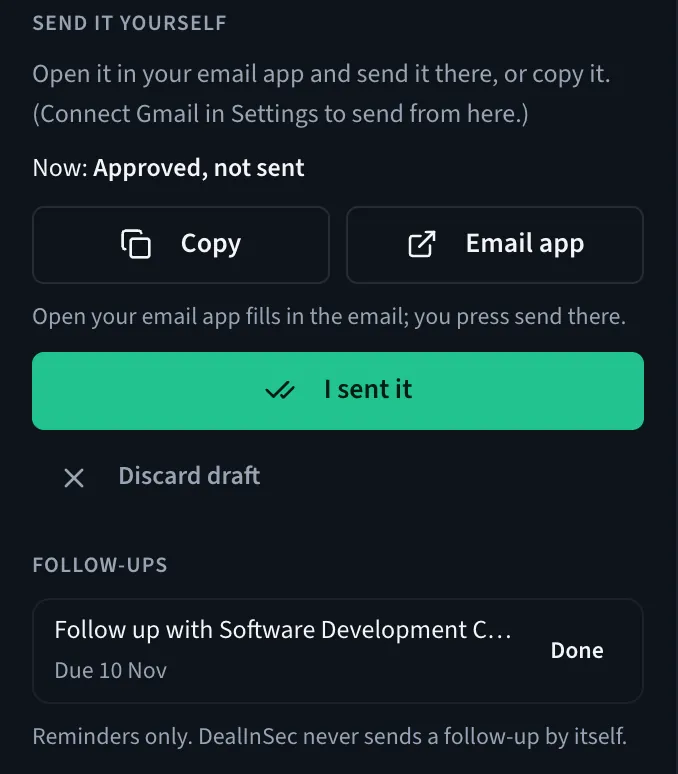
For email, "Email app" opens your mail client with the address, subject and message filled in; you press send there. "Copy" puts the text on your clipboard for WhatsApp, LinkedIn or anything else. Then press I sent it, and the lead moves to Contacted with a follow-up reminder due in a few days.
In Settings → Email you can connect your own address with an app password (Gmail, Zoho or a business mailbox). Then a message you have read gets a Send button and goes out from your address, one email per press. DealInSec never reads your inbox, so when someone replies you press "They replied" or paste the reply on the message page.
Why the extra click gets more replies
- A founder replies to a person, not to a sending platform. Your address, your name, your signature.
- Your domain's reputation stays yours. Nothing is blasted; nothing is batch-sent from a shared server.
- Reading every message once more before sending catches the one wrong fact that would have cost the reply.
Follow-ups and campaigns
Follow-ups are written for you. After an email you sent with the Send button, a short follow-up is written after 3 working days and one more 5 working days later; each waits for you to read it and press Send or Skip, and "They replied" stops them. Anyone who opts out goes on your do-not-contact list and is never drafted to again.
The honest counts
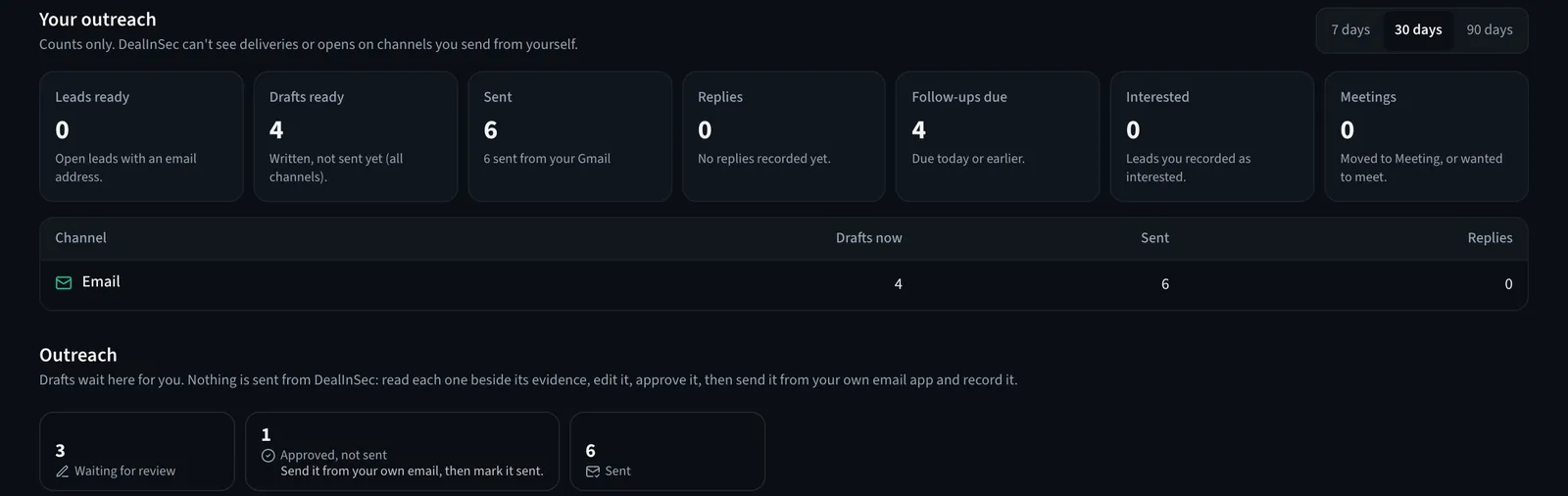
Your outreach page counts leads ready, drafts ready, sent, replies, follow-ups due, interested and meetings. On channels you send from yourself, DealInSec can only count what you record, and the page says so. There are no open rates to chase, because there are no tracking pixels in your messages.
Free plan: 3 AI drafts every 30 days across six channels; Pro 50. Your own message never counts.
Fewer, researched, personally sent messages beat volume every time, and they keep your name worth something. The tool's job is to make the good way the easy way.
Frequently asked questions
Which channels can I reach a lead on?
Email, WhatsApp, LinkedIn, Instagram, X and Messenger. Every channel gets its own draft in the right length and tone. Email can go out from your own address once you connect it with an app password; the others you copy into the app you already use.
What does the AI use to write the message?
Only what was verified about the company: facts from its own website, dated signals with sources, and the ideal-client profile you saved in Settings for how to describe you. If the evidence is too thin, the draft says so instead of inventing a reason.
Can DealInSec see whether my email was opened?
No. DealInSec never reads your inbox or your other apps, so it only knows what you tell it: when they reply, press "They replied" or paste the reply on the message page. Opens and deliveries are not tracked.
Is there an unsubscribe link?
Emails you send with the Send button carry a signed unsubscribe link and the standard one-click unsubscribe headers. A person who opts out goes on your do-not-contact list, which is checked before anything is drafted.