How to Use DealInSec as a Beginner Freelancer: From Sign-Up to Your First Client
On this page (9 sections)
- Step 1: Create a free account (2 minutes)
- Step 2: Know your way around Home
- Step 3: Describe who you want as clients
- Step 4: Review the prospects, not just the list
- Step 5: Work the Leads page
- Step 6: Approve the message, send it yourself
- Step 7: Turn the yes into a deal, free
- What to do every week after that
- Frequently asked questions
If you have never used a client-finding tool before, DealInSec is built so the first hour makes sense without a manual. This guide walks the whole loop once, with the real screens: sign up, describe who you want, review what Client Radar finds, approve a message, send it yourself, and turn a yes into a deal.
Quick answer: create a free account, type who you want as clients in plain words, run one Client Radar search, save the companies whose evidence convinces you as leads, read the first message Mika drafts, and send it from your own email. From there the Leads page tells you what to do next, every day.
Step 1: Create a free account (2 minutes)
Go to the sign-up page and use Google or an email address. There is no card step, no trial clock and nothing to cancel later: the free plan is permanent.
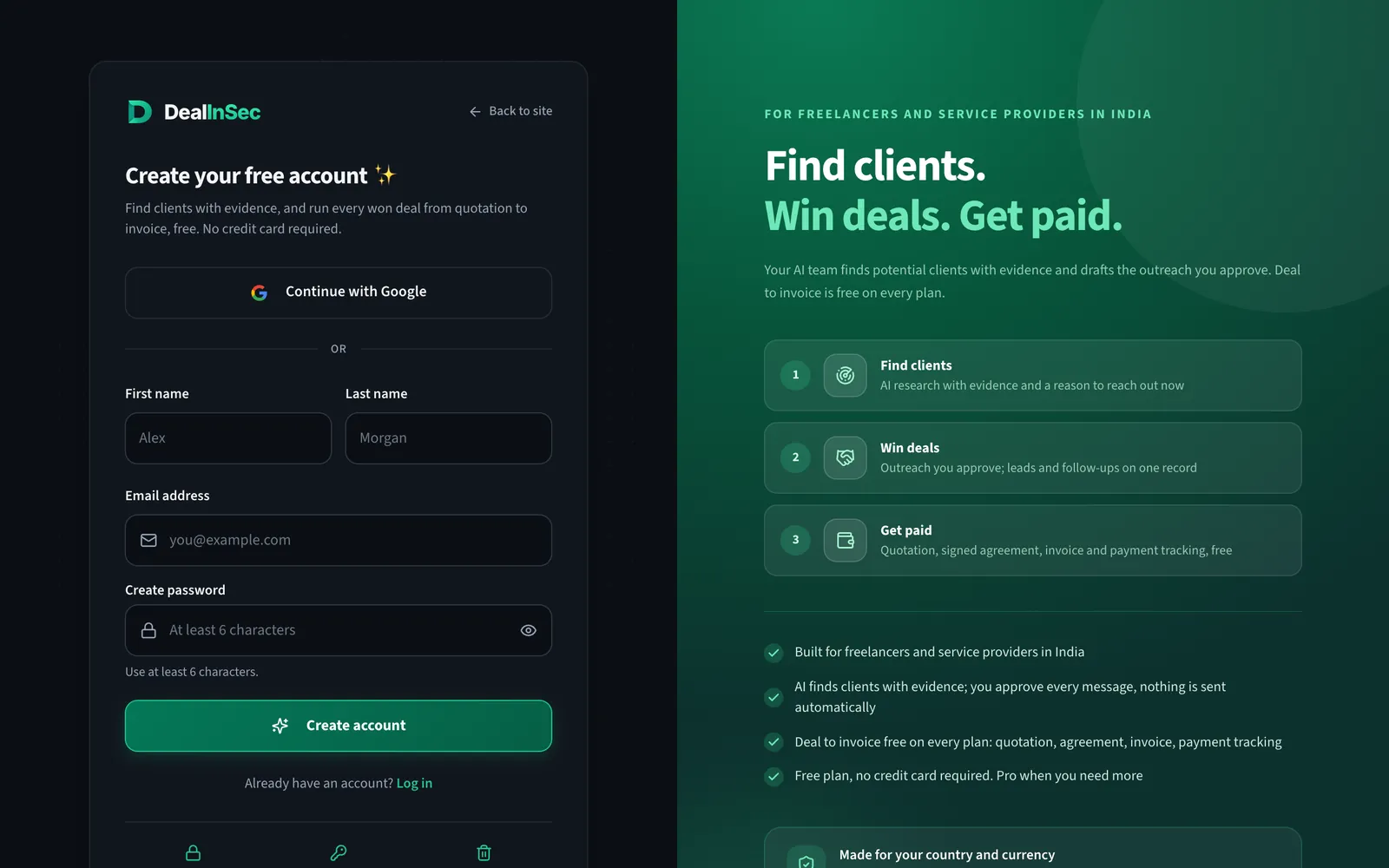
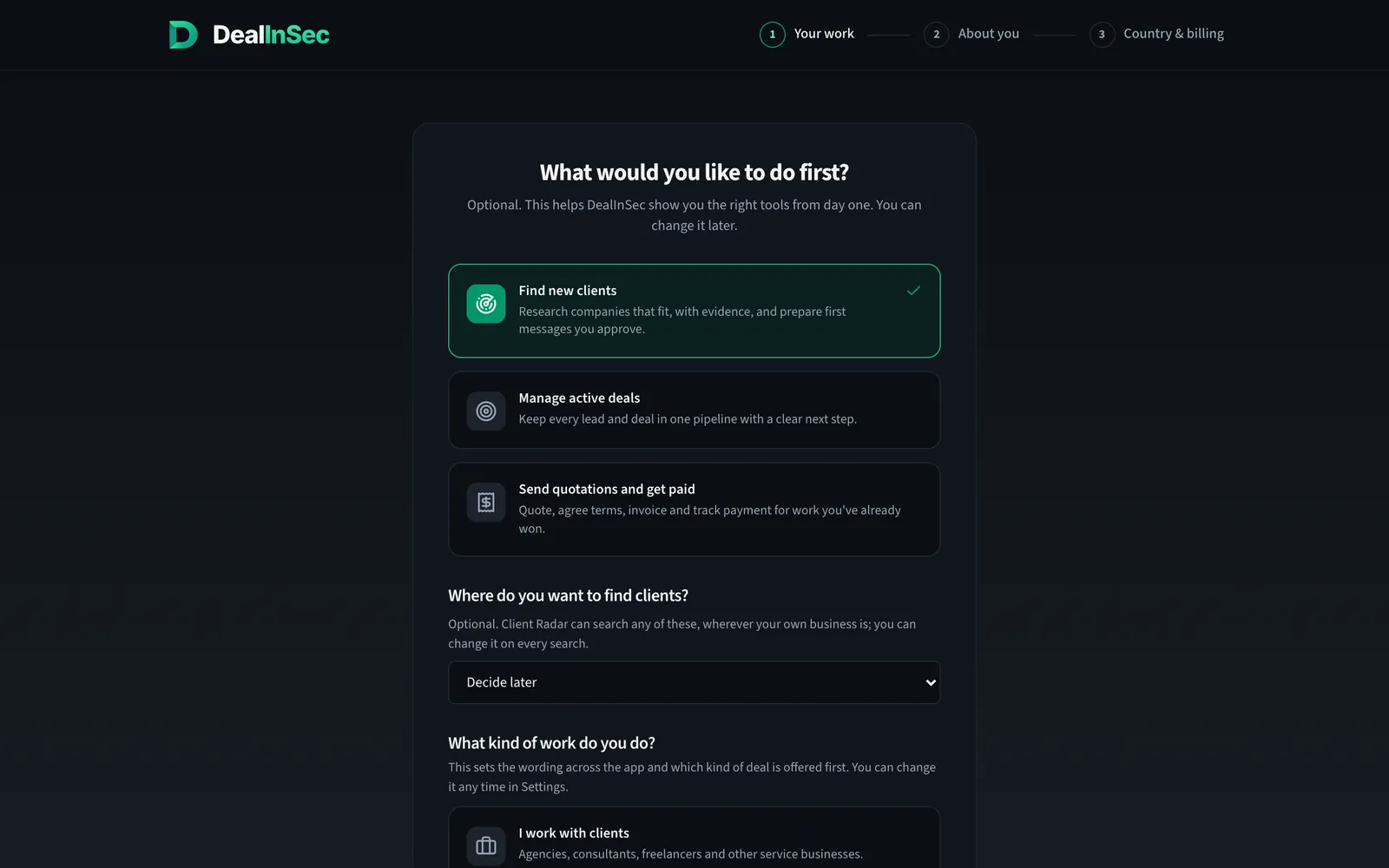
Right after sign-up, DealInSec asks what you want to do first and what kind of work you do. Answer honestly rather than aspirationally; this sets the wording of your documents and the first screen you see. You can change it any time in Settings.
Step 2: Know your way around Home
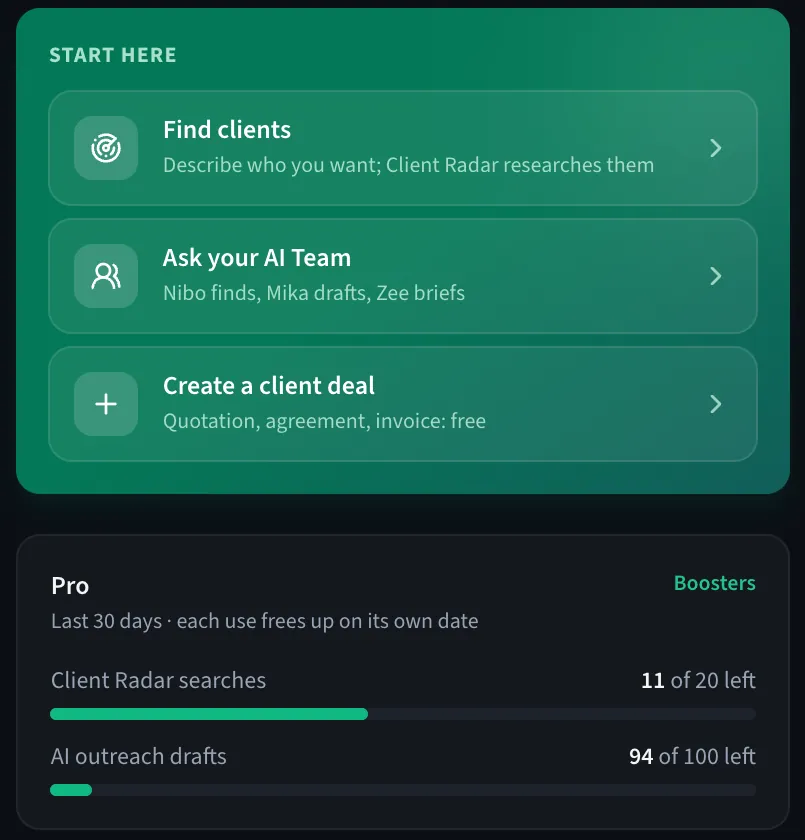
Home is a to-do list, not a dashboard. The left side says what needs you today: follow-ups due, approved messages waiting to be sent, new leads to review. The right side has the three starting points and shows how much of your plan's allowance is left.
Step 3: Describe who you want as clients
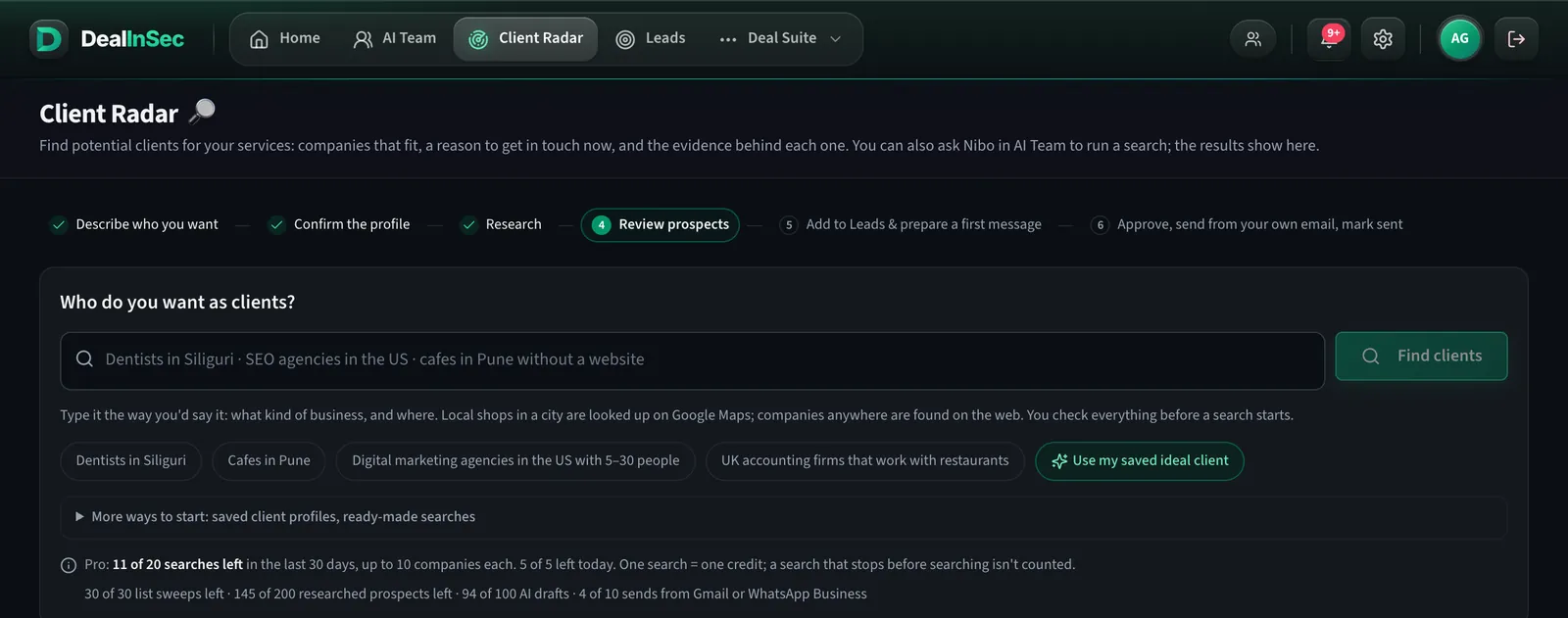
Open Client Radar and type it the way you would say it to a friend: dentists in Siliguri, SEO agencies in the US with 5 to 30 people, cafes in Pune without a website. Local shops in a city are looked up on Google Maps; companies anywhere are found on the web. Before anything runs, DealInSec reads the profile back to you and you confirm it, so a search never starts on a misunderstanding.
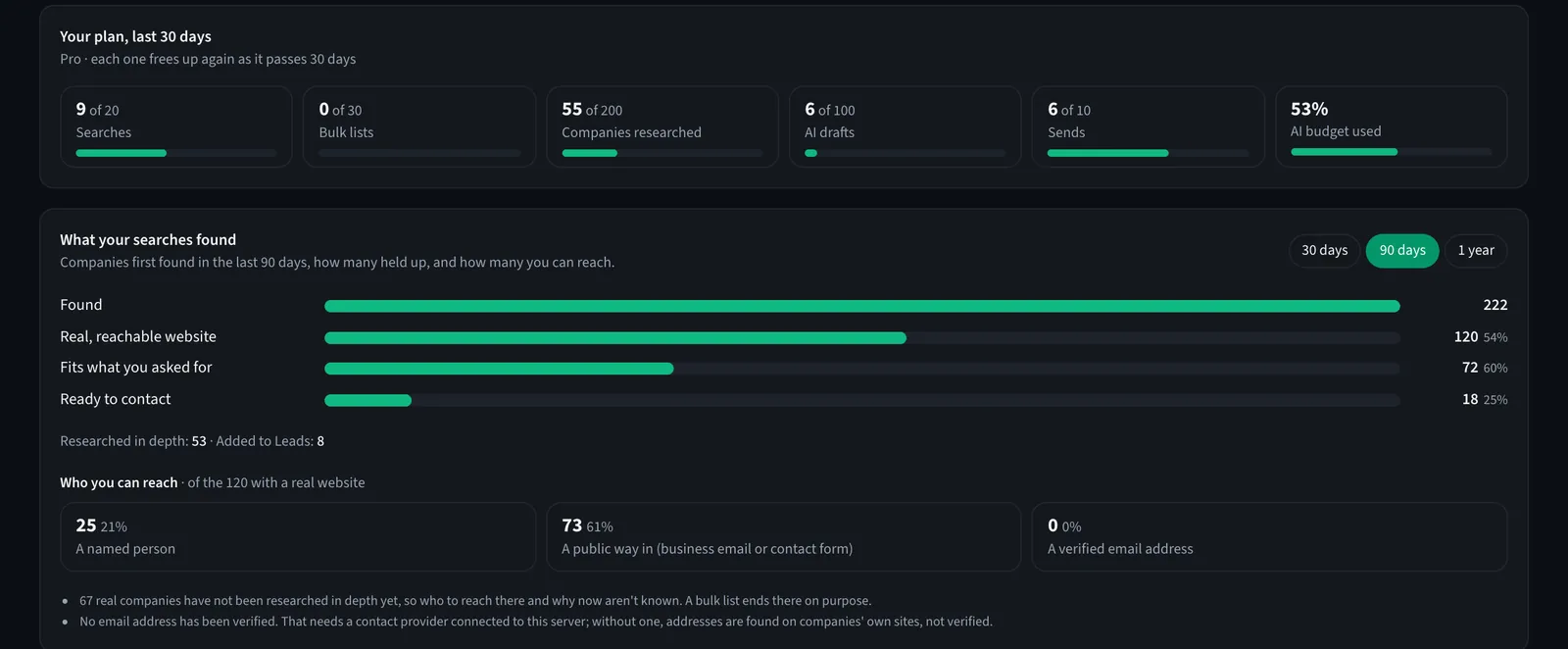
The line under the search box tells you what a search costs you: the free plan includes 1 search every 30 days, with 3 companies researched in full. A search that stops before it searches the web is not counted. How the research works is its own guide.
Step 4: Review the prospects, not just the list
Every company a search found appears under Prospects with the evidence behind it: a fit score against your profile, dated reasons to reach out with their source, named decision makers where the company publishes them, and a readiness label. Nothing on this page contacts anyone.

Open the ones that look right, read the evidence, and save the convincing ones to Leads. Reject the rest with a reason; rejected companies do not come back in later searches.
Step 5: Work the Leads page
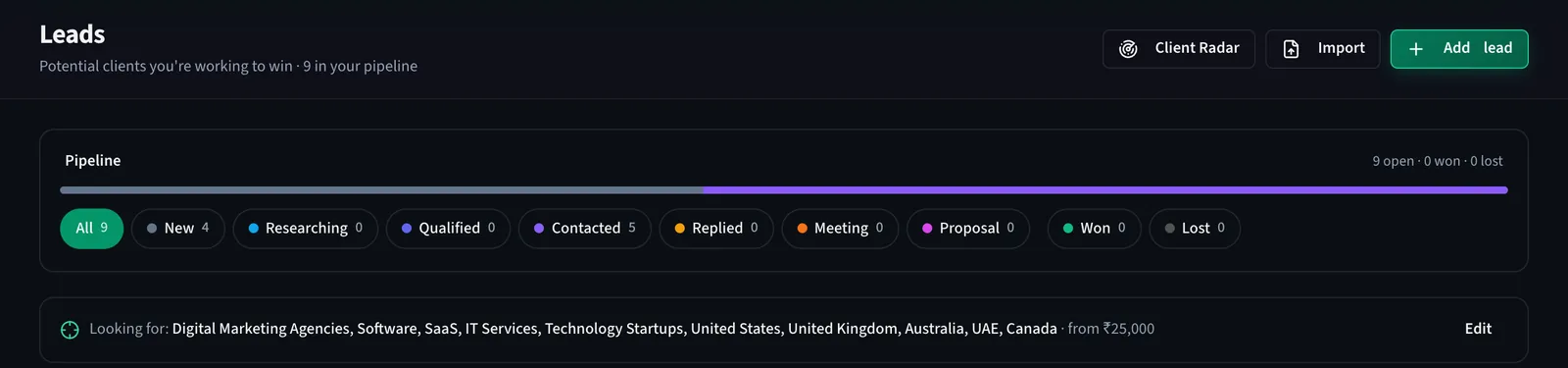
Leads is your pipeline: New, Researching, Qualified, Contacted, Replied, Meeting, Proposal, Won. Follow-ups that are due sit at the top, and your ideal-client line is always visible so you can see whether the pipeline still matches it.
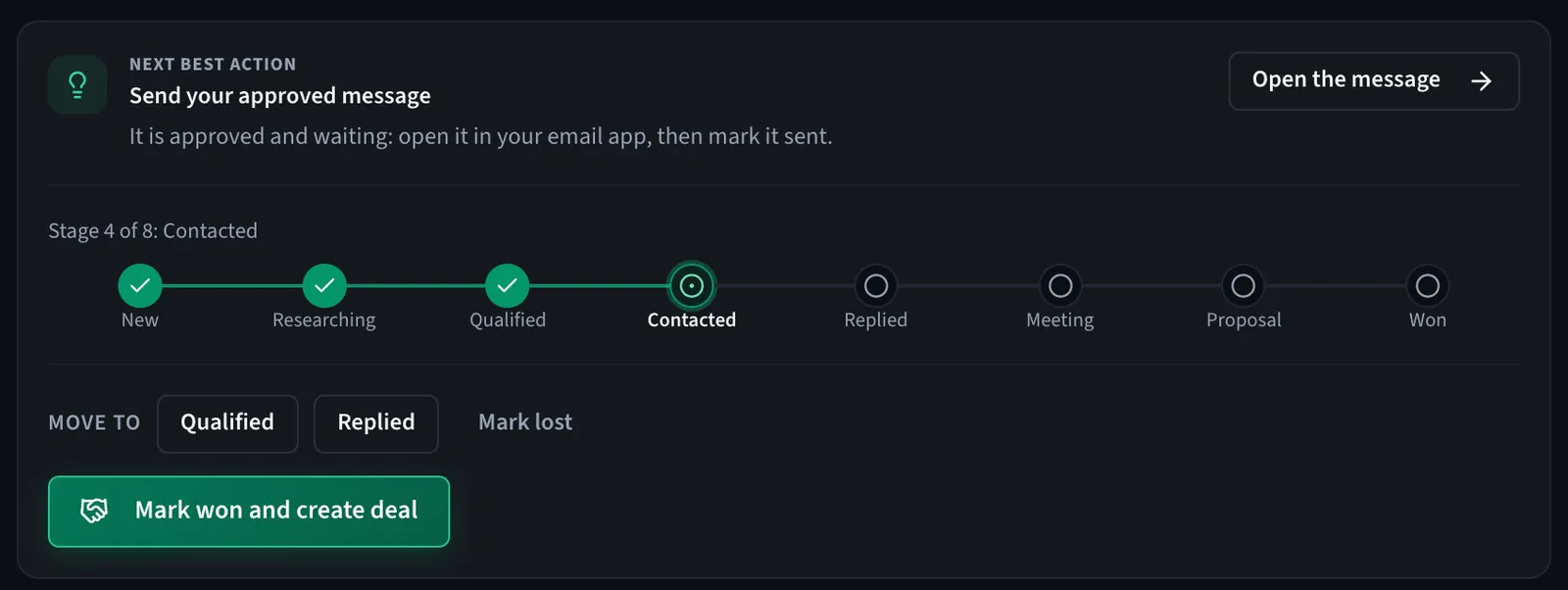
Each lead has one next best action at the top of its page, a stage bar, and a score out of 100 with the unknown points shown rather than hidden. You never have to decide what to do next from memory. The pipeline is covered in leads for beginners.
Step 6: Approve the message, send it yourself
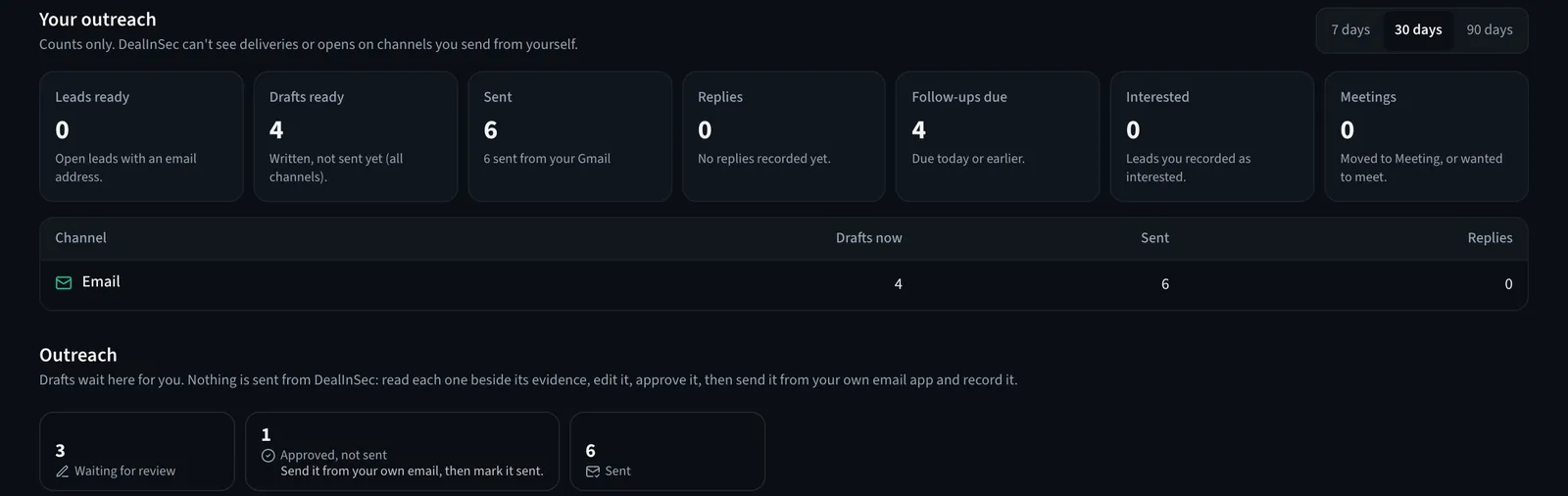
Press Write outreach on a lead and Mika, the AI helper who writes, writes a first message only from facts that were verified about that company. Read it beside the evidence, edit it, approve it. Then send it from your own email app (one click opens it with the email filled in), or copy it to WhatsApp, LinkedIn, Instagram, X or Messenger, and press I sent it. A follow-up reminder is created; DealInSec never sends a follow-up by itself.
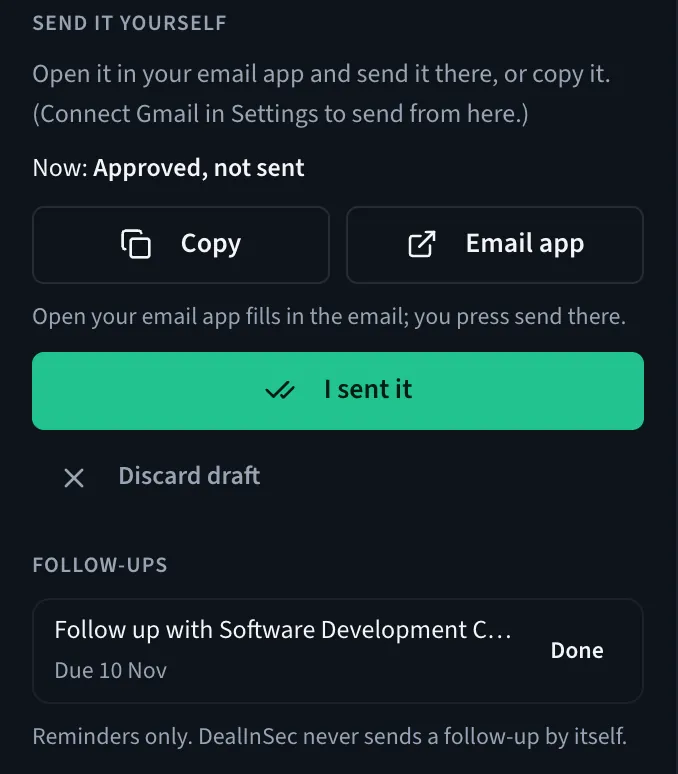
Why the extra click? Because a message from your own address, in your own name, gets replies that a message from a tool does not, and because your email reputation stays yours. The whole approach is in outreach without spam.
Step 7: Turn the yes into a deal, free
When a lead says yes, press Mark won and create deal. The deal holds the quotation your client accepts online, the agreement they sign online, the invoices and what has been paid. This half of DealInSec is free on every plan with no monthly cap, including the free one.
What to do every week after that
- Open Home and clear the Today list: follow-ups, approved messages, new leads.
- Run one or two searches with a slightly different wording and compare what comes back.
- Reject leads honestly so the pipeline stays real. A pipeline of 9 true leads beats 90 maybes.
- When the allowance runs out, either wait for it to free up, take Starter (₹299 a month, up to 15 researched client leads) or Pro (₹999 a month, up to 50 researched client leads and 50 drafts every 30 days), or buy a one-time top-up pack for just the next few searches.
Free plan, no card: 1 Client Radar search and 3 AI drafts every 30 days, the lead pipeline, and the deal-to-invoice flow with no cap.
None of this promises a client, and DealInSec never will. What it promises is that every week a few more right-fit companies hear from you, for reasons specific to them, and that nothing you started goes quiet by accident.
Frequently asked questions
Do I need a credit card to start using DealInSec?
No. The free plan is permanent and needs no card. It includes 1 Client Radar search, 3 companies researched in full and 3 AI drafts every 30 days, the lead pipeline, and the whole deal-to-invoice flow with no monthly cap.
How long does it take to get the first result?
About ten minutes from sign-up: two minutes to describe who you want, a few minutes while Client Radar researches companies, and the rest reading the evidence and approving a first message. Replies, of course, take as long as clients take.
Does DealInSec send the messages for me?
No. It drafts, you read it, and you send it. Once you connect your own email with an app password in Settings, an email goes out from your own address when you press Send; WhatsApp, LinkedIn and the other channels you send from those apps yourself. Nothing is ever sent without you.
Is DealInSec only for freelancers in India?
It is built first for India (rupee pricing, UPI, GST-aware documents) but Client Radar searches companies anywhere, and the free plan is open in every country.