Leads for Beginners: Turn Research Into a Pipeline You Actually Work
On this page (8 sections)
Most freelance pipelines do not die of rejection. They die of forgetting: a prospect said "ask me next month", and nobody asked. The Leads page exists so that never happens, and so that at any moment you know the one thing to do next.
Quick answer: save only companies whose evidence convinced you, move each lead through eight stages, do the next best action shown at the top of its page, finish follow-ups on the day they are due, and mark the no's as Lost. The rule: no lead without a written next step.
The pipeline at a glance
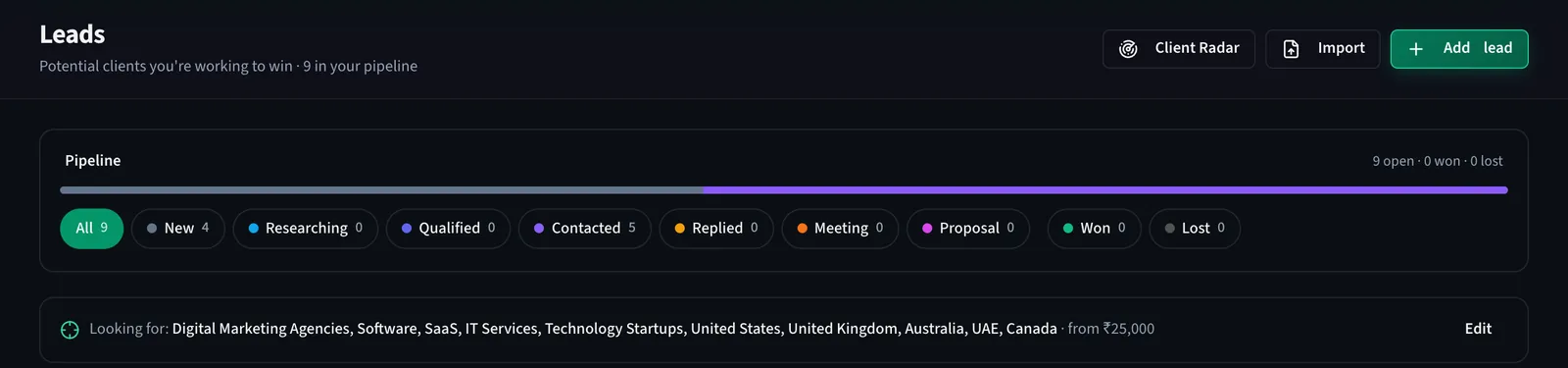
The strip shows every stage with its count, and the bar above it shows the mix. Under it, your ideal-client line stays visible so you can see whether what you are chasing still matches what you set out to find. Below that come the follow-ups due, then the list.
The eight stages, and when to move
- New. Just saved from Client Radar, imported, or added by hand. Do not write yet.
- Researching. You are reading the facts tab: what they do, who runs it, the dated signals and their sources.
- Qualified. It fits, there is a reason to write now, and you know who to write to. This is the only stage from which a first message should go.
- Contacted. Your message went out, from your own address, and you marked it sent. A follow-up reminder was created.
- Replied. Any reply at all. DealInSec never reads your inbox: when they reply, press "They replied" or paste the reply on the message page, and the lead moves here.
- Meeting. A call or a visit is agreed.
- Proposal. You sent a quotation. In DealInSec that happens through Mark won and create deal or through a deal you start from the lead.
- Won. They said yes. Lost is beside the stages for the no's; use it without shame, a clean Lost column is what makes the rest of the numbers true.
One next action, always
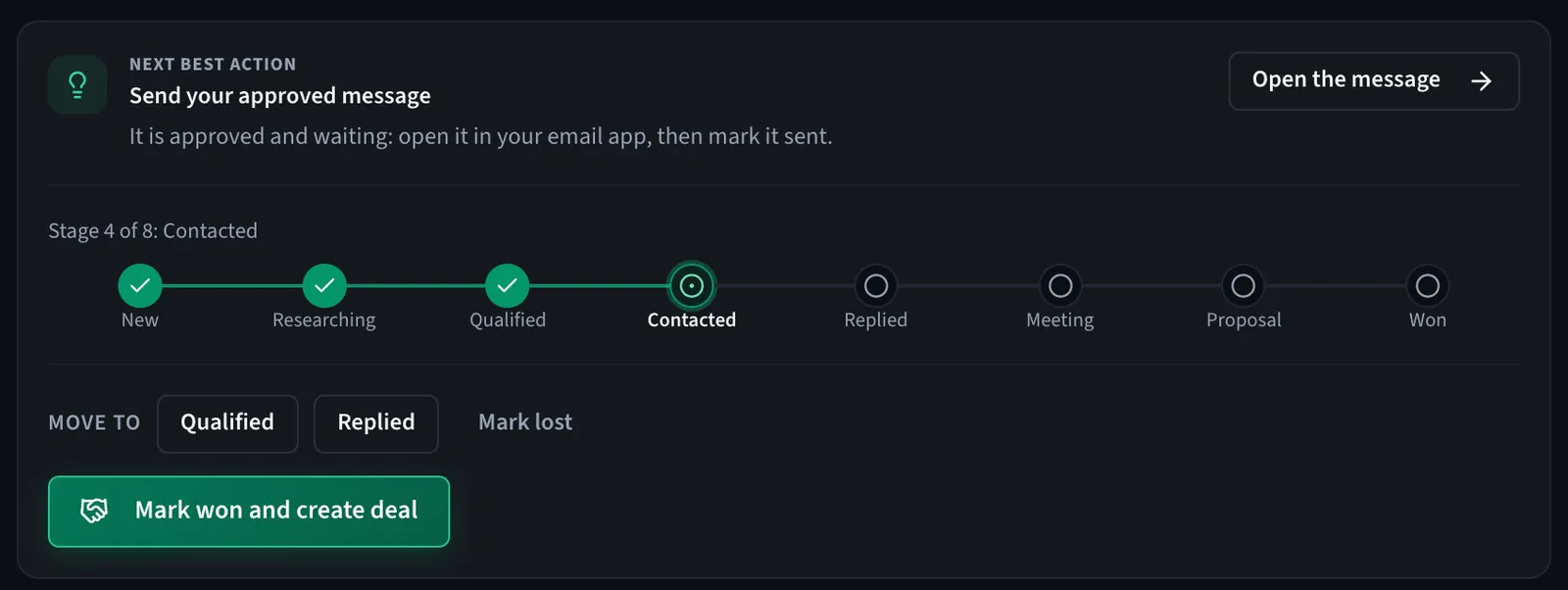
The top of every lead page says what to do now: send the approved message, finish the follow-up, review new evidence, move the stage. You never have to work out the next step from memory or scroll a timeline. Under it, the stage bar and the move buttons; under those, the score.
How the score is built
Each lead has a score out of 100 made of parts: company fit against your profile, need or pain (what the evidence suggests they struggle with), buying signal (recent activity, labelled as activity, not intent), reachability and timing. The part that matters most for a beginner is the line beside it: how many of the 100 points are unknown. A 44 with 25 points unknown is a different lead from a 44 with everything checked. The score tells you where to look, not whom to love.
Follow-ups: reminders, not robots
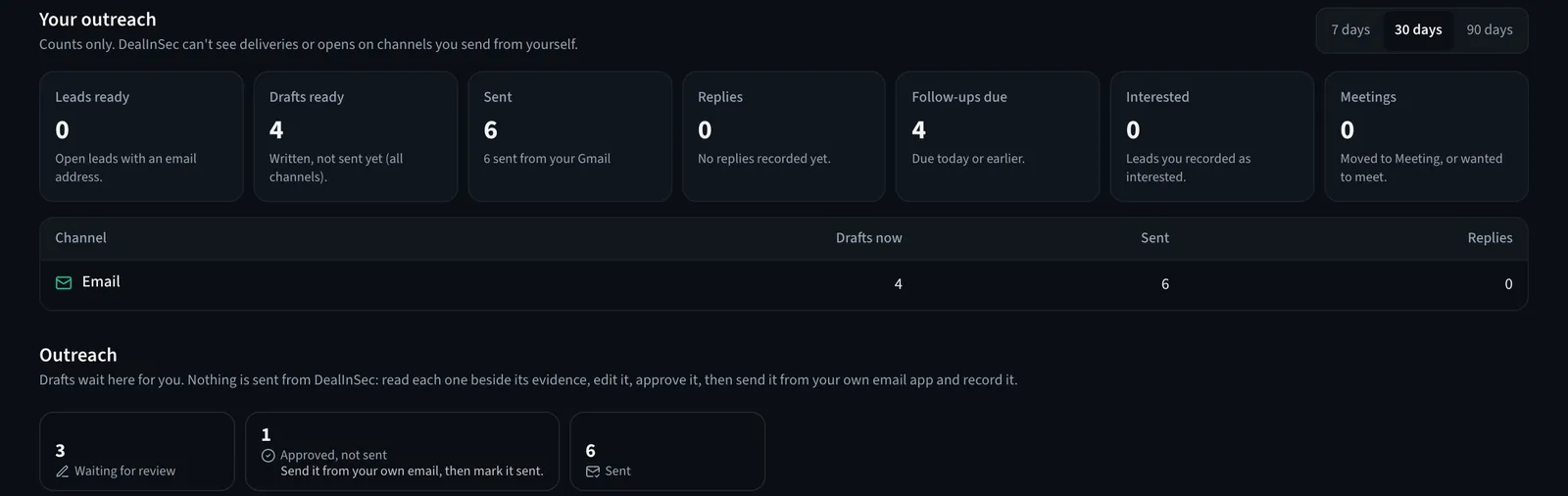
Marking a message sent creates a follow-up with a due date. Due and overdue follow-ups appear at the top of Leads and in your Today list on Home. When the day comes, open the lead, read what you said last time, and write the follow-up yourself or ask Mika for a draft that refers to the first message. DealInSec never sends a follow-up on its own, and never will.
Keeping the list honest
- Reject prospects with a reason before they become leads. The reason is remembered and the company is not shown again.
- Mark Lost early. Silence after two polite follow-ups is a no for now. Lost leads can be reopened if they come back.
- Delete only mistakes. A deleted lead leaves the pipeline but is kept and can be restored from the deleted view.
- Edit the ideal client, not the leads, when you notice the pipeline drifting. The line at the top of Leads is the thing to fix.
From lead to deal
When a lead says yes, press Mark won and create deal. The deal is where the quotation, the online-signed agreement and the invoices live, and it is free on every plan with no cap. The lead keeps its history, so a year later you can still see what you found, what you wrote and what they said.
Leads with a next step, follow-up reminders and a score that shows what it does not know. Free plan, no card.
A pipeline of nine real leads with next steps beats a spreadsheet of ninety names. Start small, keep it true, and let the Today list run your mornings.
Frequently asked questions
What is the difference between a prospect and a lead in DealInSec?
A prospect is a company a search found; nothing happens to it. A lead is a prospect you chose to pursue, or added by hand or by import. Leads have a stage, a next step and follow-up reminders; prospects do not.
What do the lead stages mean?
New (just added), Researching (you are checking the evidence), Qualified (it fits and is worth writing to), Contacted (your first message went out), Replied, Meeting, Proposal, Won. Lost sits beside them for the ones that said no or went quiet.
Can I delete a lead?
Yes. A deleted lead leaves the pipeline and its counts but is kept, so it can be restored later from the deleted view. Rejecting a prospect with a reason is the better move when the company simply does not fit; rejected companies are not shown again.
Does DealInSec follow up with leads automatically?
No. Follow-ups are reminders for you, due on a date. The message, the channel and the send are yours.